Passwords are still the keys to our digital lives, even in 2026. We use them to guard our email, banking, cloud storage, business tools, and more—and attackers know it.
In this post, we’ll look at why passwords aren’t going away yet, why our old habits no longer cut it, and how tools like a password generator and a zero‑knowledge vault such as Simply Once can make strong security practical.
Passwords aren’t going away (yet)
You’ve probably heard a lot about biometrics, single sign‑on (SSO), and passkeys. Those technologies are important and growing fast, but they haven’t replaced passwords everywhere.
Most websites and apps around the world still rely on a username and password as the primary way to log in.
Many services support 2‑factor authentication or passkeys as an option, not a full replacement.
Even when you use SSO, the accounts behind those SSO providers are still protected by passwords.
In other words, passwords remain the foundation. If that foundation is weak, everything you build on top is easier to break into.
The real problem: humans are bad at passwords
The issue isn’t that passwords can’t be secure—it’s that people aren’t wired to create and remember strong ones across dozens or hundreds of accounts.
Common habits include:
Reusing the same few passwords everywhere.
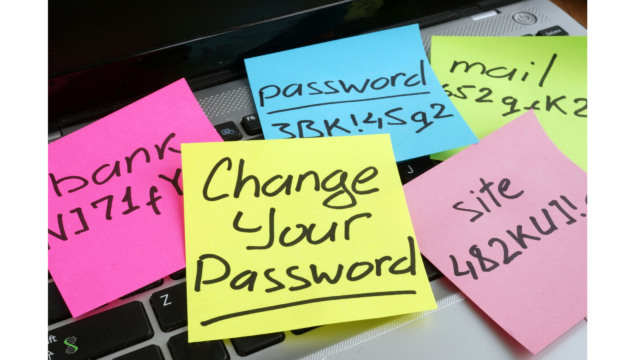
Making tiny variations (Password1!, Password2!, etc.).
Using personal information like birthdays, pet names, or favorite teams.
Attackers count on these patterns. When one website is breached and a username/password pair leaks, they try that same combination on lots of other sites—a technique called credential stuffing. If you reuse passwords, a single leak can quickly turn into a chain of compromised accounts.
What makes a password “strong” today
Security advice has evolved. Today, strong passwords focus on three things:
Length – Longer is harder to crack. A 16‑character random password is significantly stronger than an 8‑character one.
Randomness – Avoid predictable patterns, real words, or personal details. Random characters are much harder to guess or brute‑force.
Uniqueness – Every account should have its own password. If one site is breached, the others remain safe.
Instead of trying to be clever with substitutions like “P@ssw0rd!”, it’s far better to use long, random strings that don’t follow human patterns.
That’s where a password generator comes in.
Why you should use a password generator
A password generator removes guesswork and human bias from the process. With one click, you can create a strong, random password that’s:
Long enough to resist brute‑force attacks.
Mixed with letters, numbers, and symbols (if the site allows it).
Unique to that specific account.
If you’re building or updating an account that matters—email, banking, cloud storage, business tools—using a generator instead of “thinking up” a password is one of the biggest security upgrades you can make in seconds.
Simply Once provides a free password generator you can use as often as you like. Generate a password, use it for your account, and you’ve already taken a meaningful step toward better protection.
The missing piece: how to handle all those strong passwords
Strong, random passwords are great—until you have to remember them.
Once you commit to using unique, high‑entropy passwords for every account, two things become clear:
You can’t realistically memorize them all.
Saving them in a browser, notes app, or spreadsheet creates its own risks.
You need a way to:
Store all these passwords securely.
Organize them by site or service.
Access them from multiple devices.
Keep them protected even if someone gets access to your computer or to our servers.
That’s the role of a password manager or encrypted vault.
How Simply Once helps
Simply Once is designed to solve the “management” side of strong passwords while keeping your privacy and control front and center.
Zero‑knowledge design – Your vault data is encrypted in a way that prevents us from reading it. We can store your encrypted information, but we can’t see what’s inside.
One secure place for everything – Instead of scattered notes and reused logins, you keep all your strong, unique passwords in a single encrypted vault.
Access across devices – You can securely use your credentials from different devices while keeping them protected and under your control.
Combine this with a good password generator and you get a simple, repeatable pattern:
generate a strong password, 2) save it in your vault, 3) use it without needing to memorize it.
Getting started: upgrade your most important accounts
You don’t have to change every password you’ve ever created overnight. Start where the risk is highest:
Email and primary identity accounts.
Banking and financial services.
Cloud storage and productivity tools.
Any account that could be used to reset others.
For each one:
Generate a strong, unique password with the Simply Once password generator.
Save it securely in your Simply Once.
Turn on 2‑factor authentication if the service supports it.
Repeat this process over time, and your digital life becomes much harder for attackers to compromise.
Next steps
Passwords still matter in 2026—and likely will for years to come. The good news is that making them stronger doesn’t have to be complicated.
Use a generator so you’re not relying on “clever” but weak patterns.
Store everything in a secure, zero‑knowledge vault so you don’t have to remember it all.
You can start right now:
Generate a new, strong password for one important account using our free password generator.
Create your Simply Once account and store it safely.
Small, consistent steps like these add up to a much stronger security posture over time.